HOW TO INVITE Business Membership Team Members
This demo shows how to invite and/or delete a team member. It also shows how to resend the email invite notification to a pending team member.
Navigate to https://dobettercollective.com/my-account/teams/
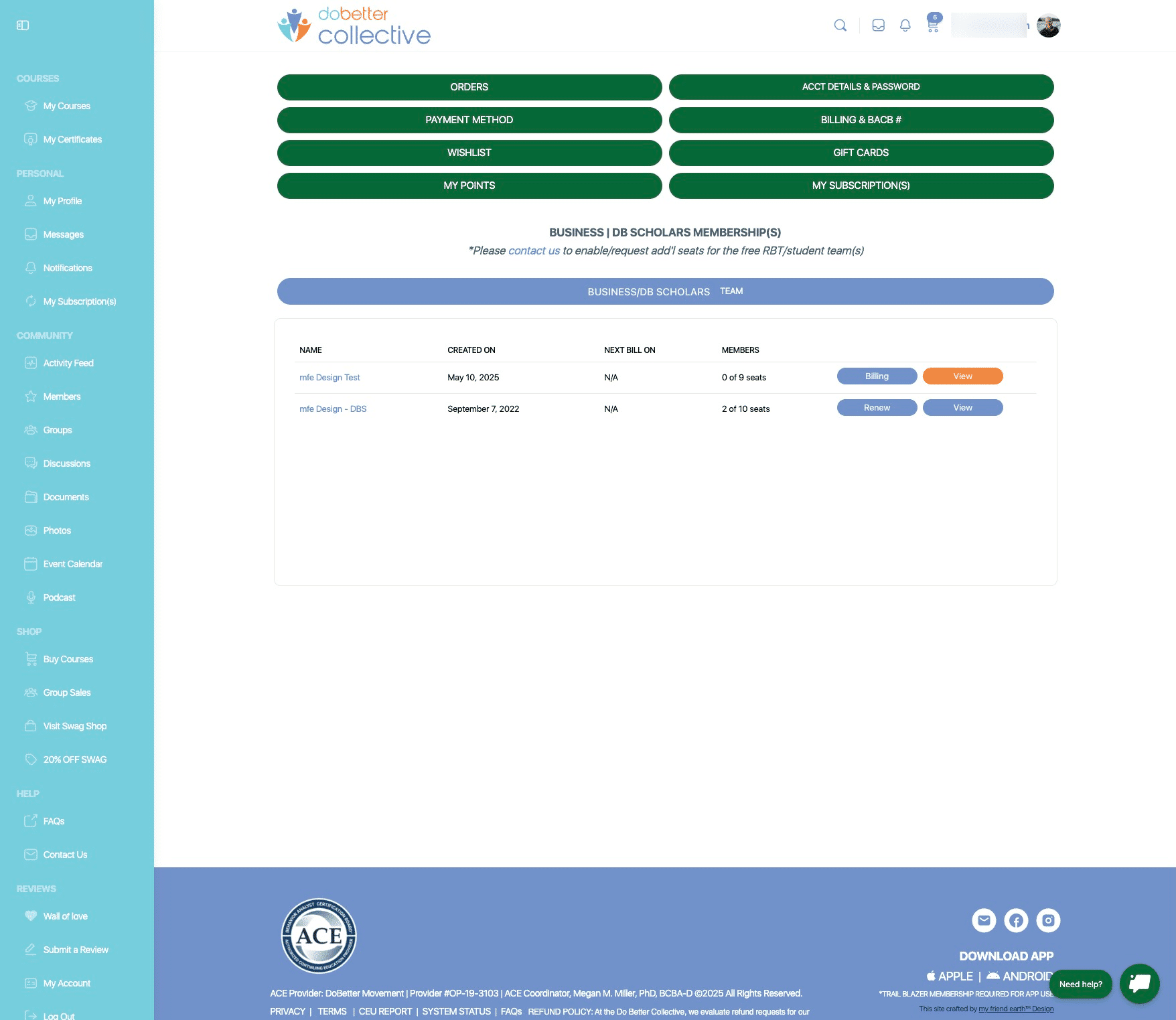
Business Memberships may have more than one team. For example, Silver and Gold memberships have free RBT accounts included with business membership. In this case you would see two teams - one for BCBAs and one for RBTs. To proceed, select "View" to the right of the team you would like to interact with.
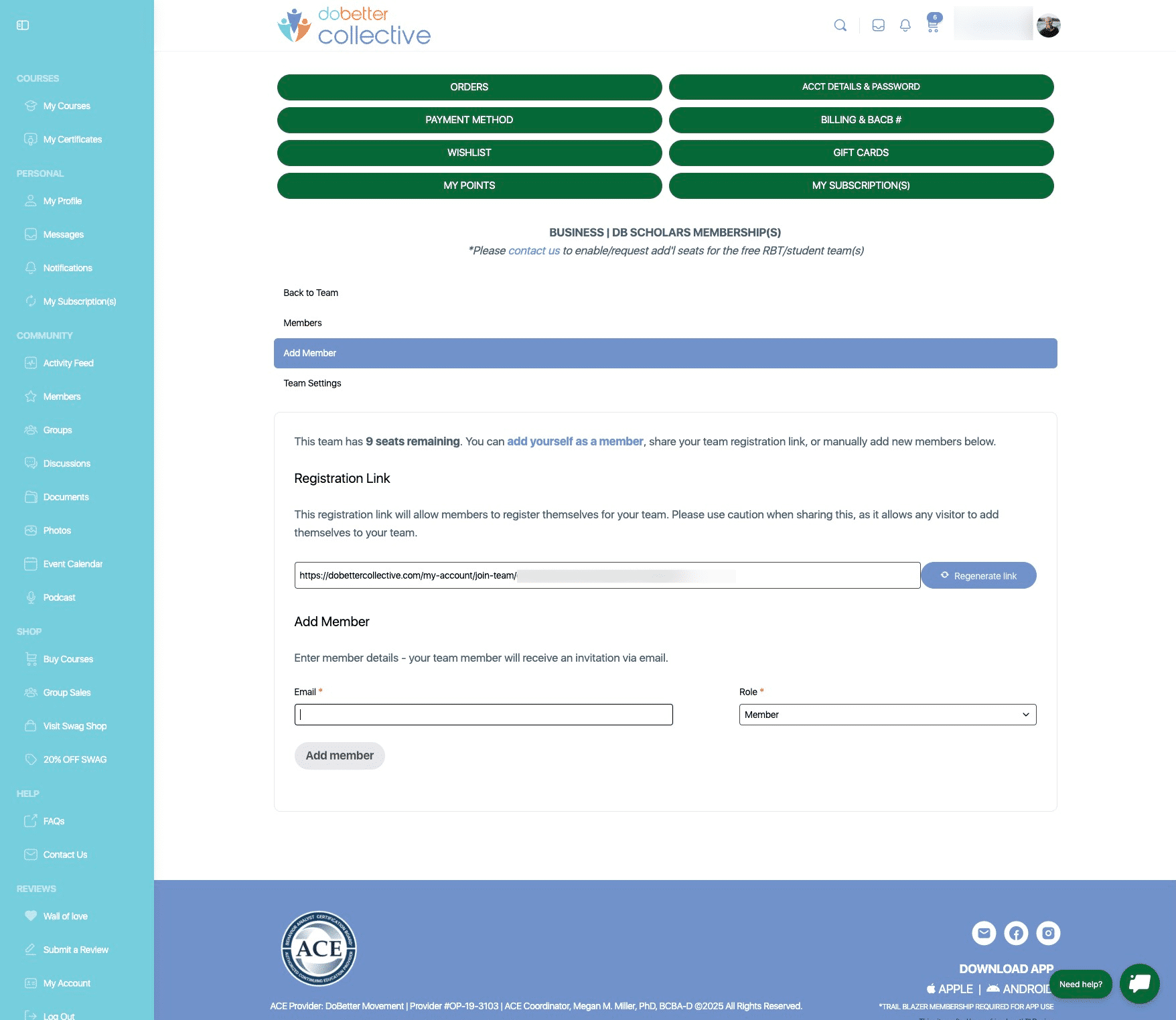
Enter an "Email" and choose a role for the team member - "Member" or "Manager". Click "Add Member" to invite new members to your Business Membership team. note: managers can help team owner to invite members. Managers use a member slot and can only be in one team at a time. Team owners do not take up a member spot unless they add themselves. A Team owner can be owners of multiple teams.
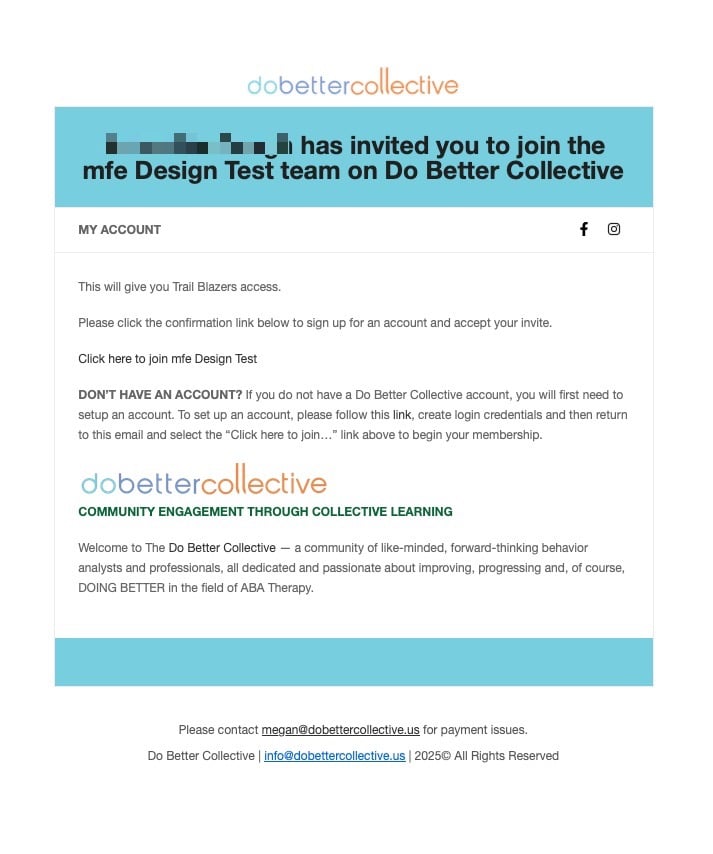
Example of an invite email to a new Business Membership member.
Click on "Members" if you want to view all members who are on the team and or have a pending invite. From "Members", you may resend invites, delete and make a member a manager.
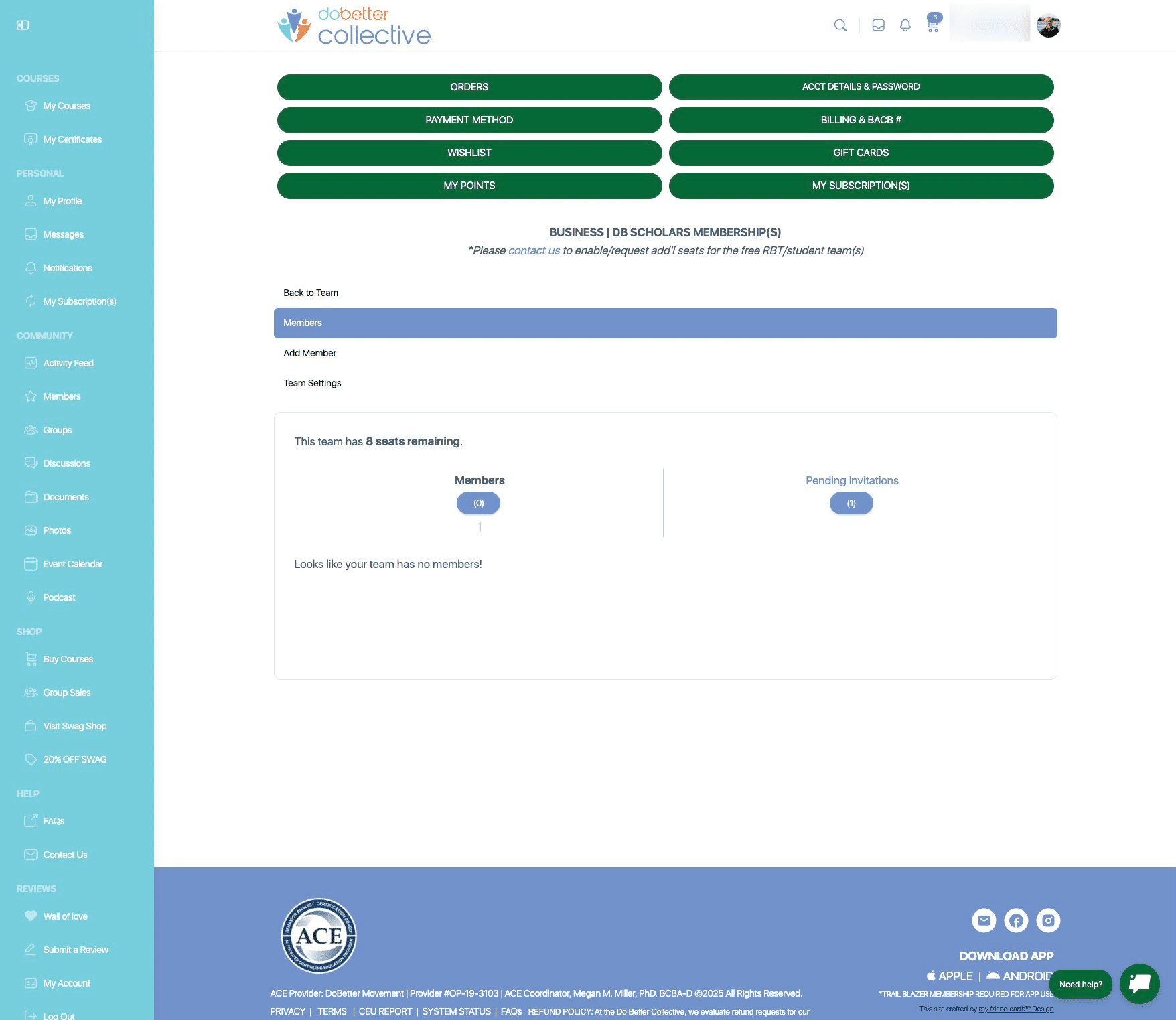
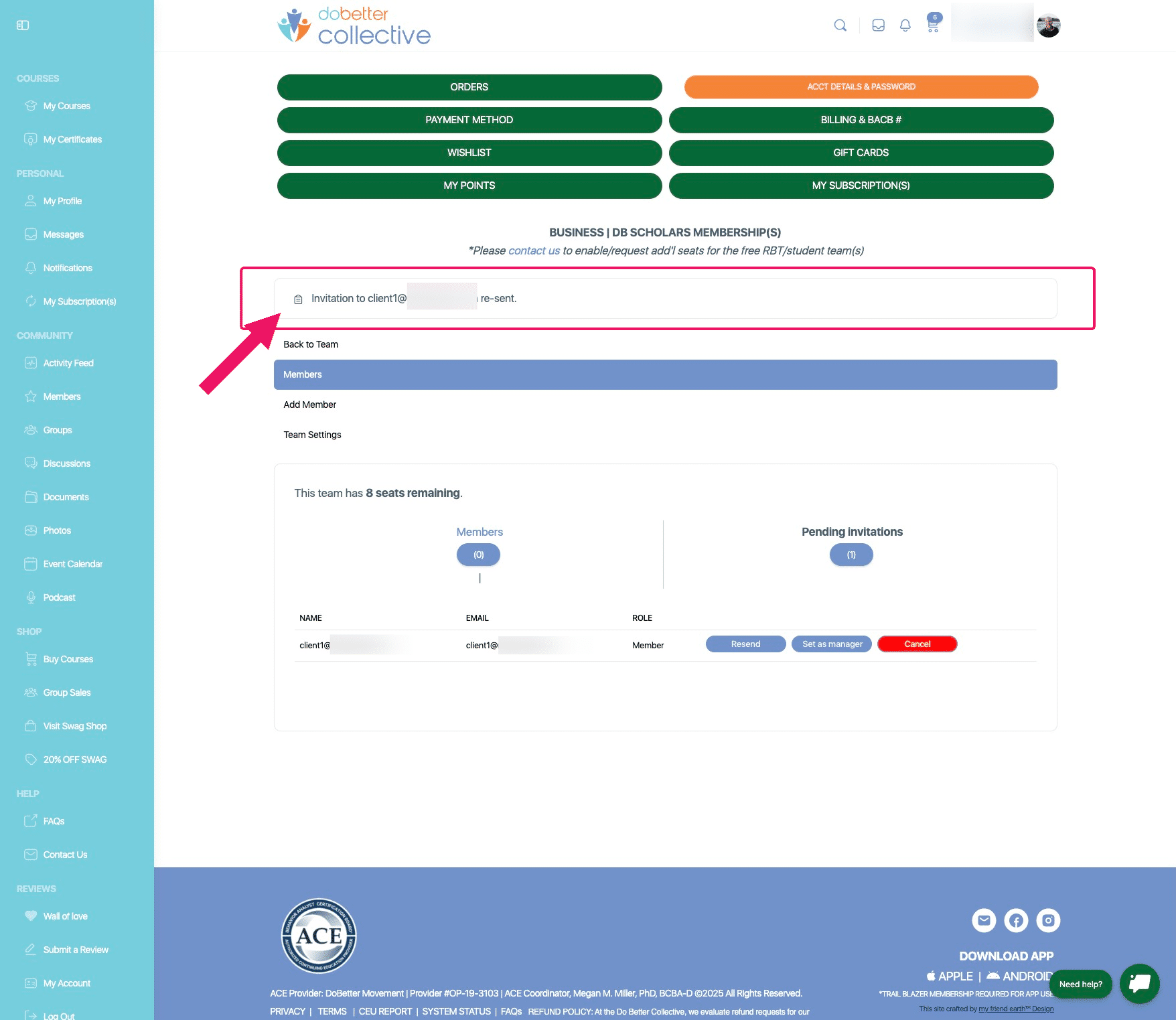
Click on "Resend" if you would like to resend an invite a team member. You may also delete them and add a different member if needed.
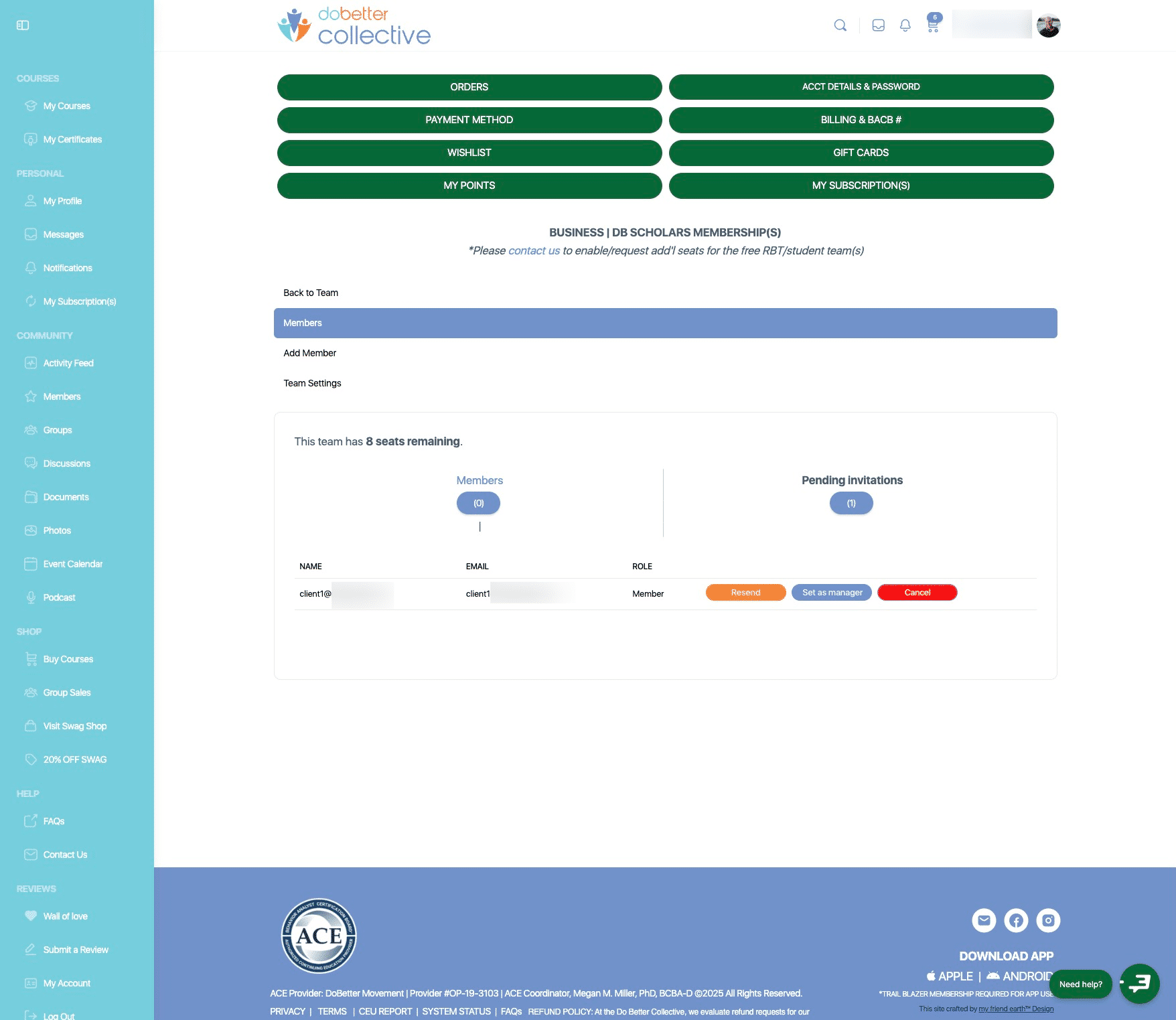
After selecting "resend" you will receive a confirmation alert. Done 🚀