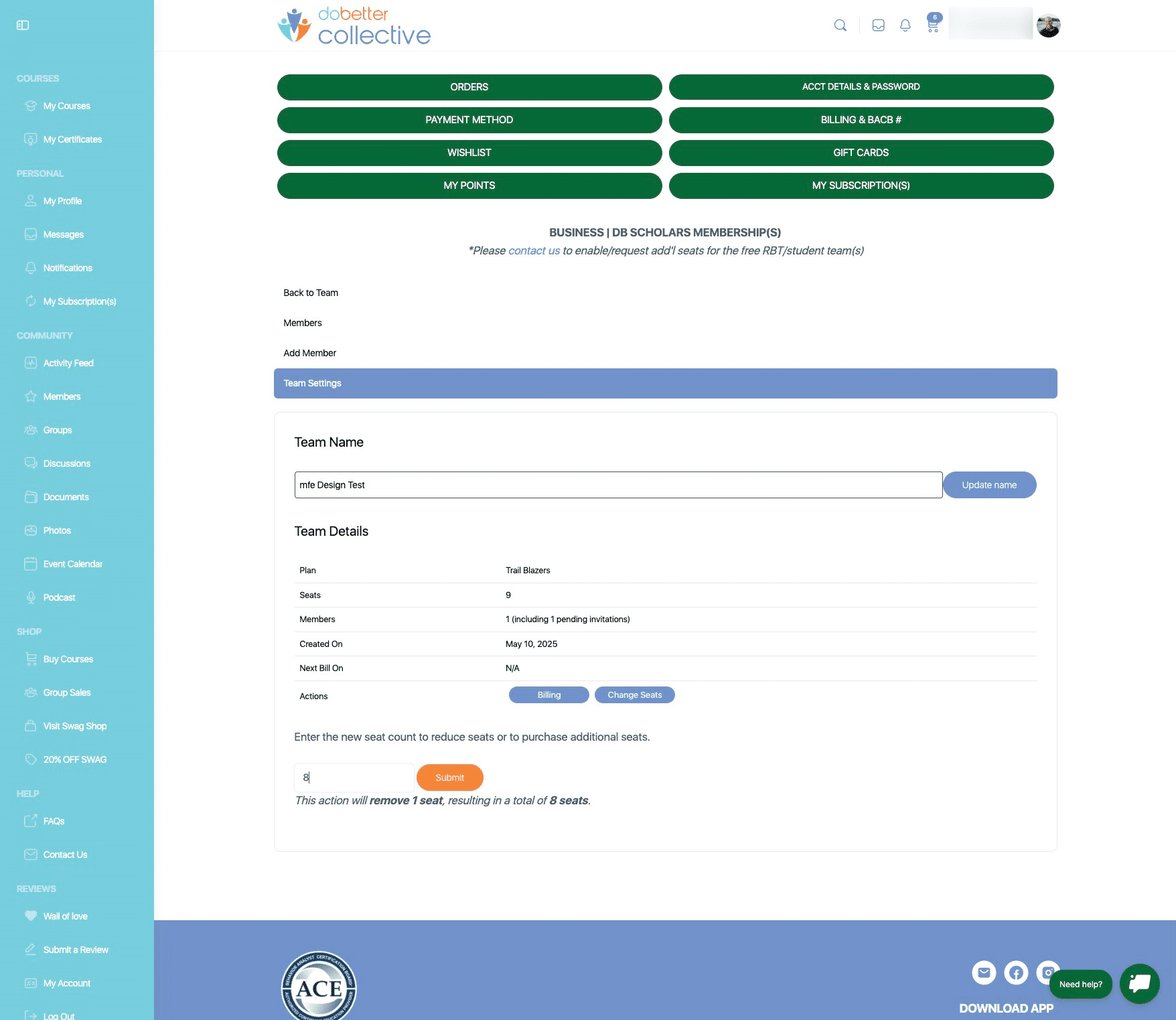
HOW TO PURCHASE additional Business Member seats
You may add more seats at anytime. When adding seats to a business membership, the new setas will be prorated based on the business membership subscription start date. When the next billing cycle comes, you will then be charged for full-price for all seats in your membership.
May 17, 2025●
1
Navigate to https://dobettercollective.com/my-account/teams/
2
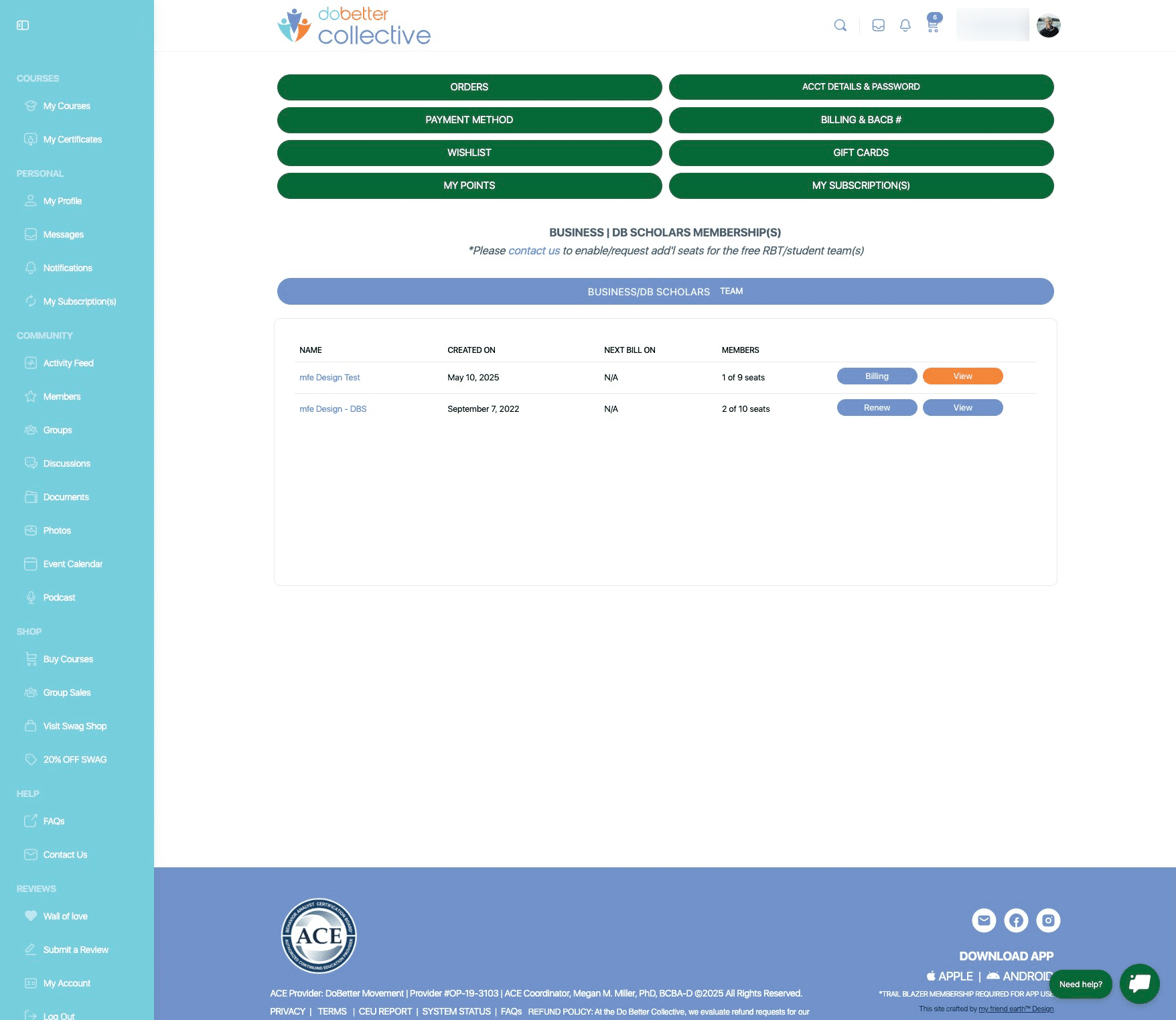
Select your team you would like to make changes to. Click on "View"
3
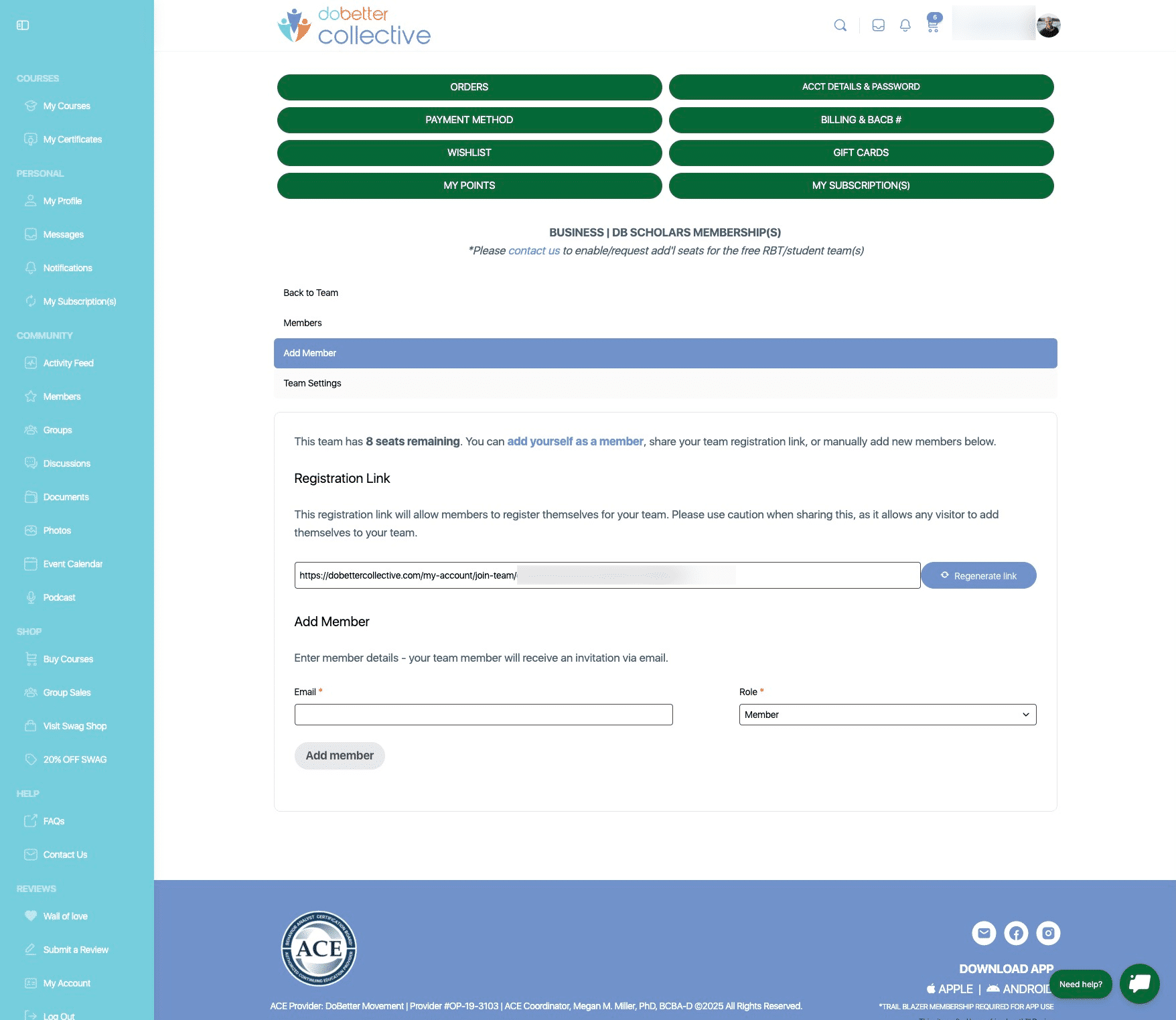
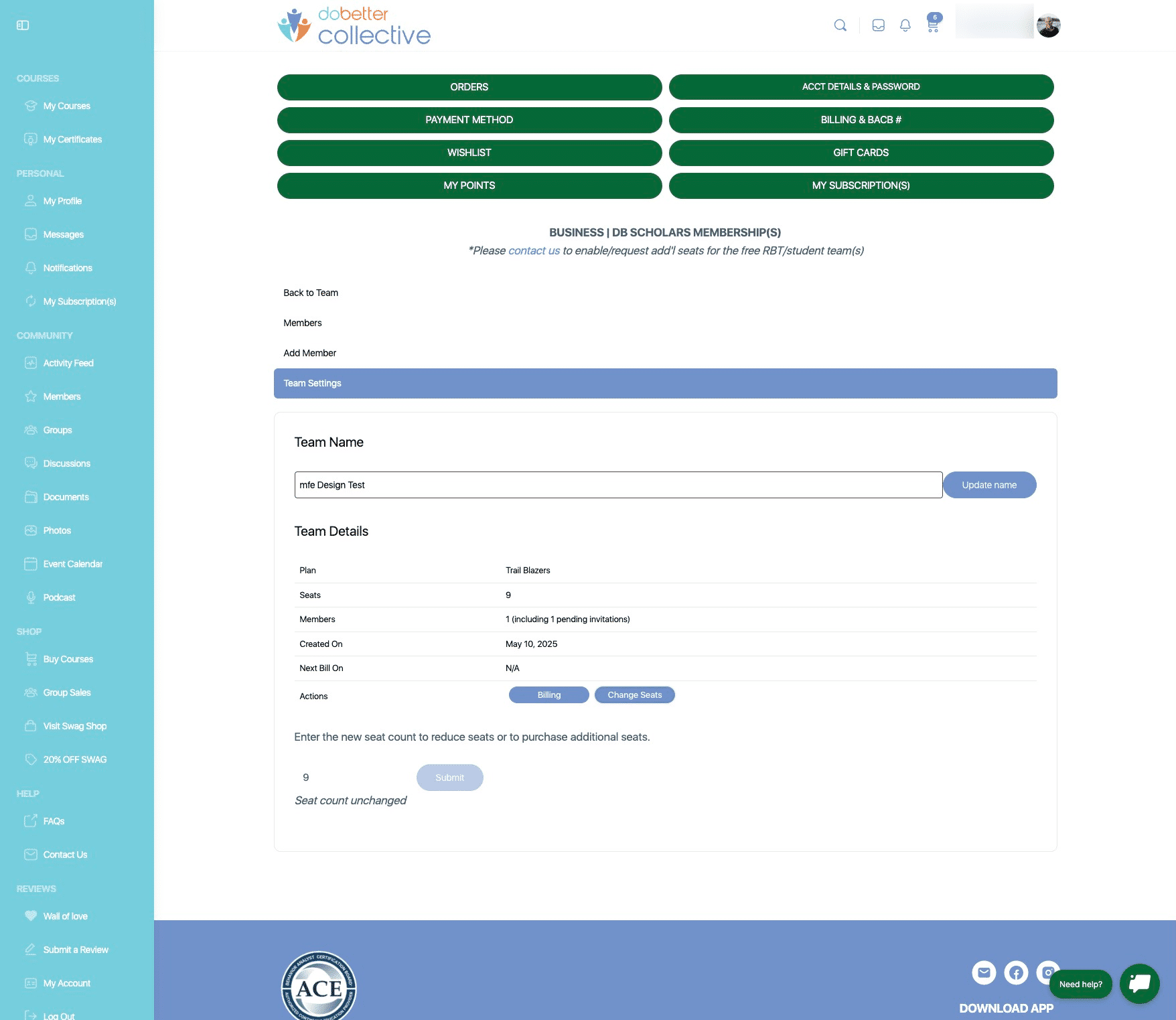
Click on "Team Settings"
4
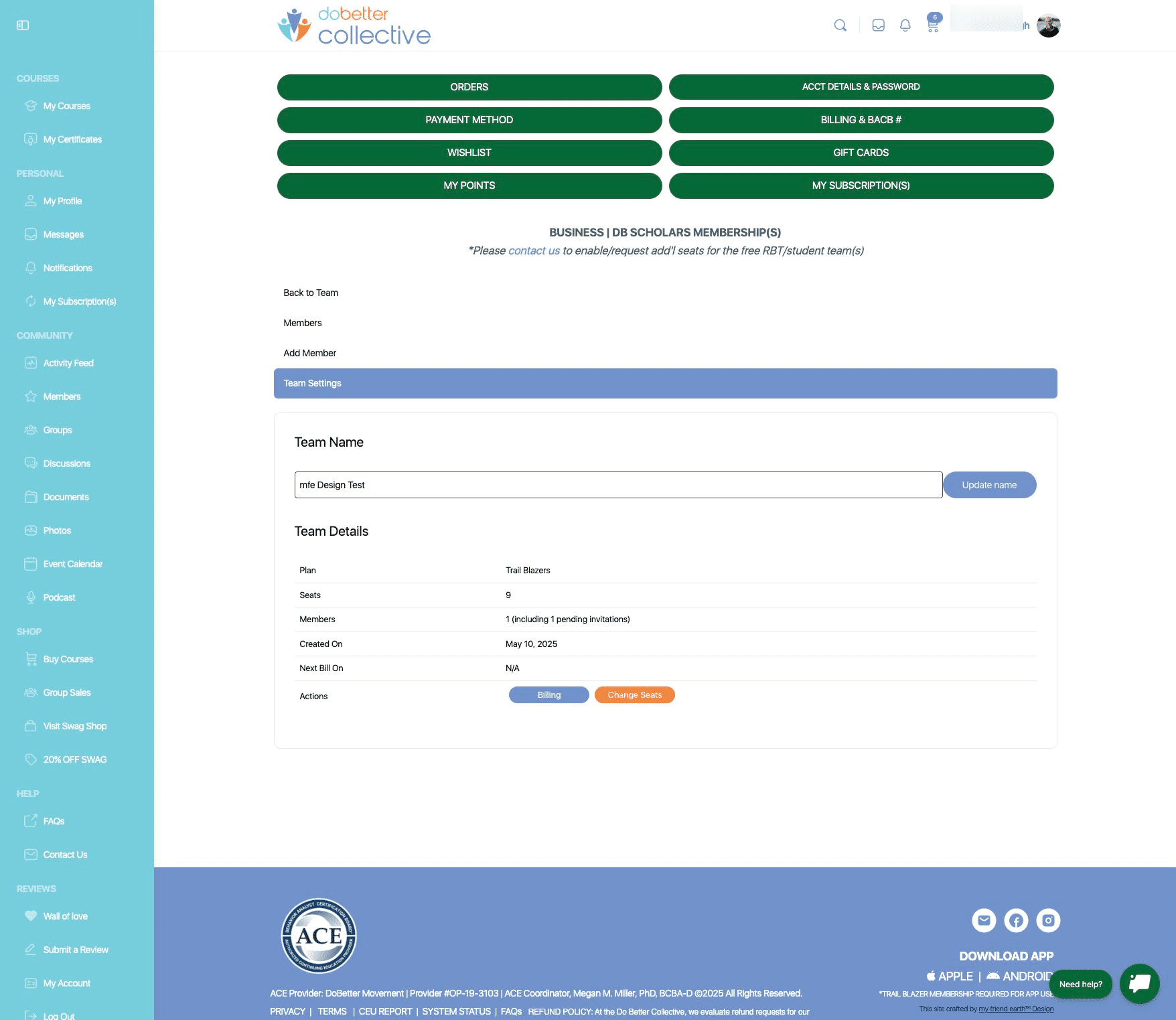
Click on "Change Seats"
5
Scroll down to the number of existing seats in your membership. Add or remove seats based on your needs.
6
Click on "Submit", and then you will be taken to checkout to make payment.