HOW TO ACCESS Trail Blazer Business Membership
How to access your Business Membership account on the Do Better Collective website.
May 17, 2025●
1
Once logged in you can go directly to the Team page by navigating to https://dobettercollective.com/my-account/teams
2
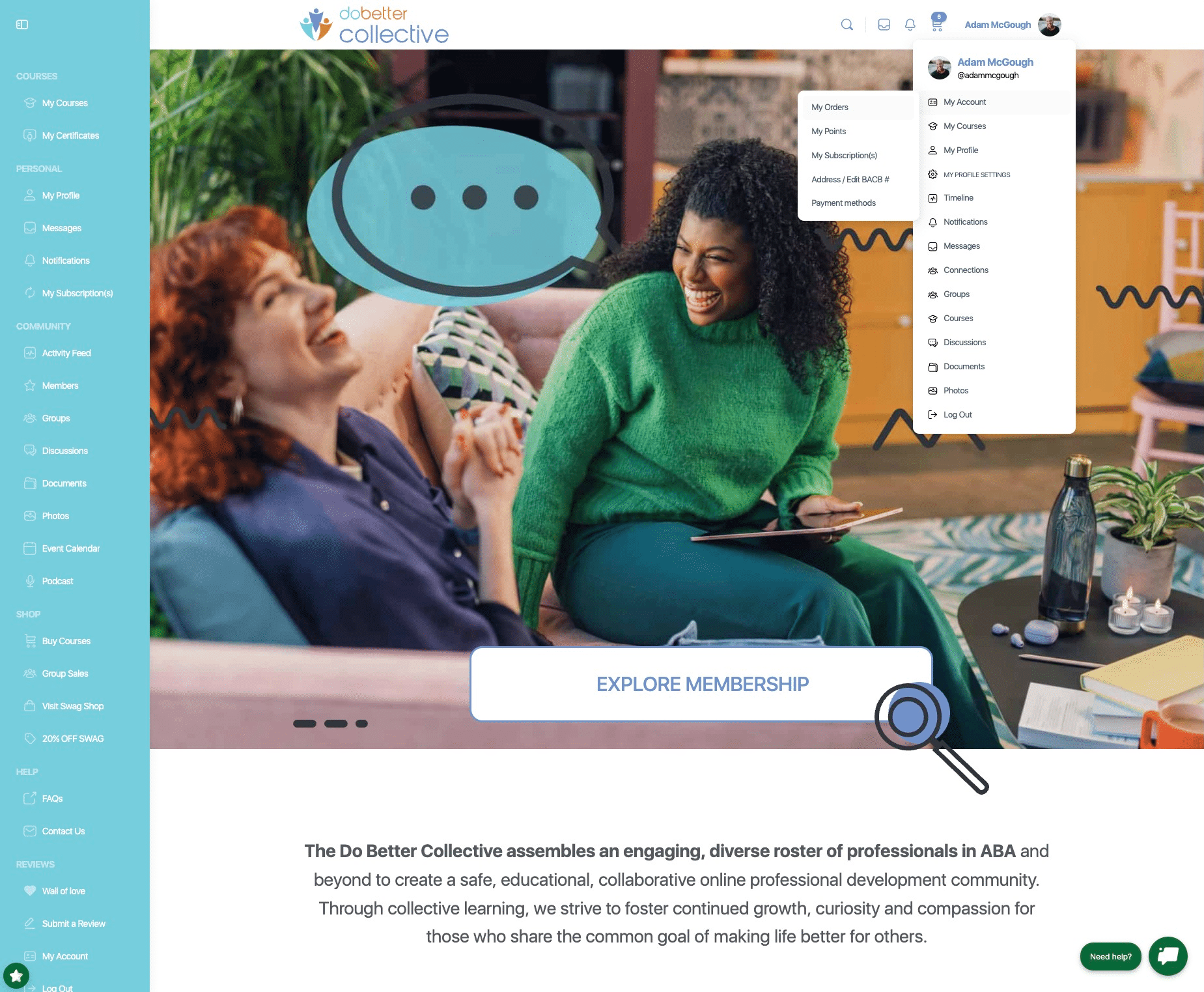
OR Once logged in - by hovering over your profile photo in the top right and click on "My Account" >> "My Orders"
3
OR Once logged in - by clicking on "My Account" button in the bottom left.
4
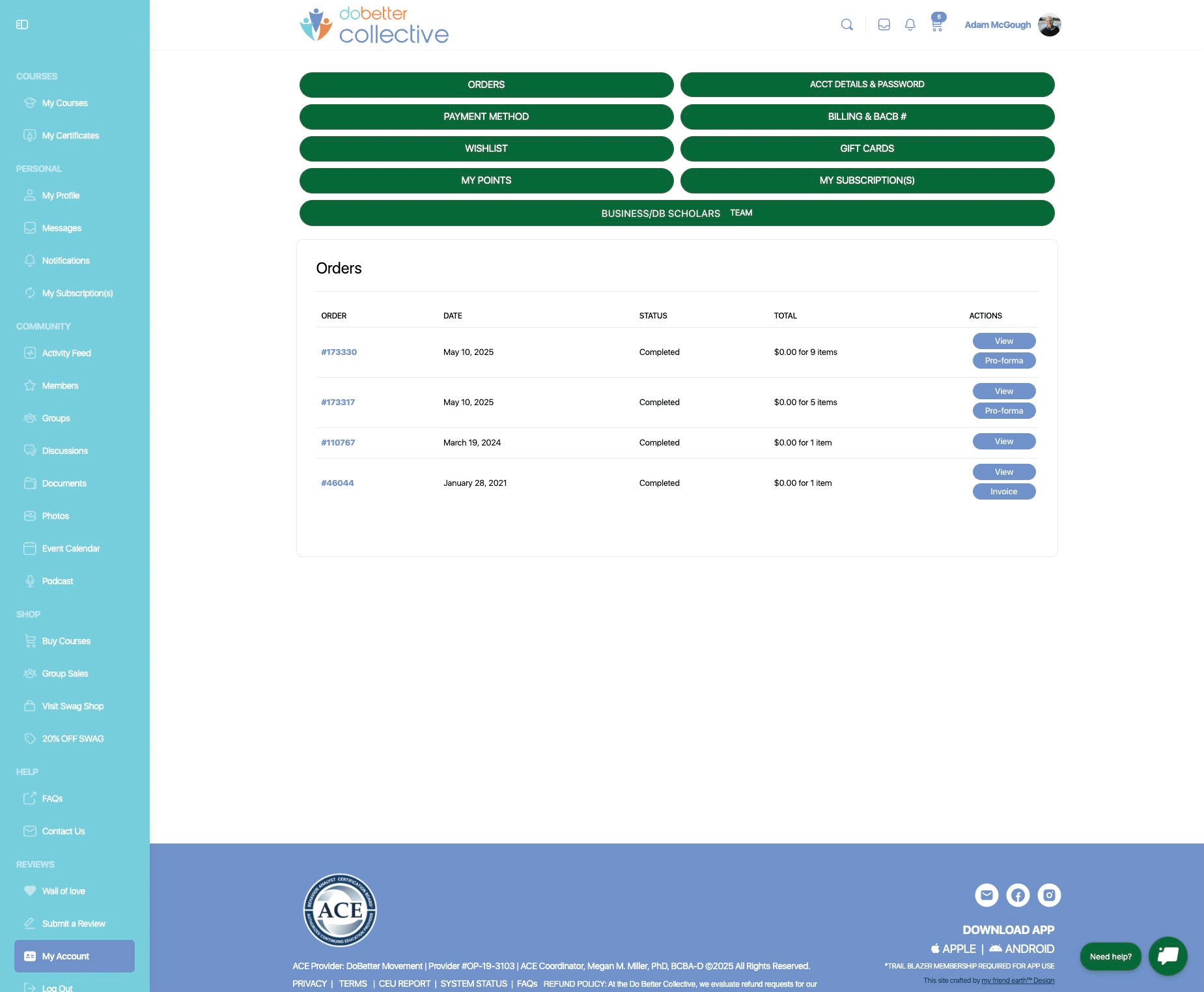
Once in the "My Account" section, click on "Business Membership / DB Scholar Team" button
5
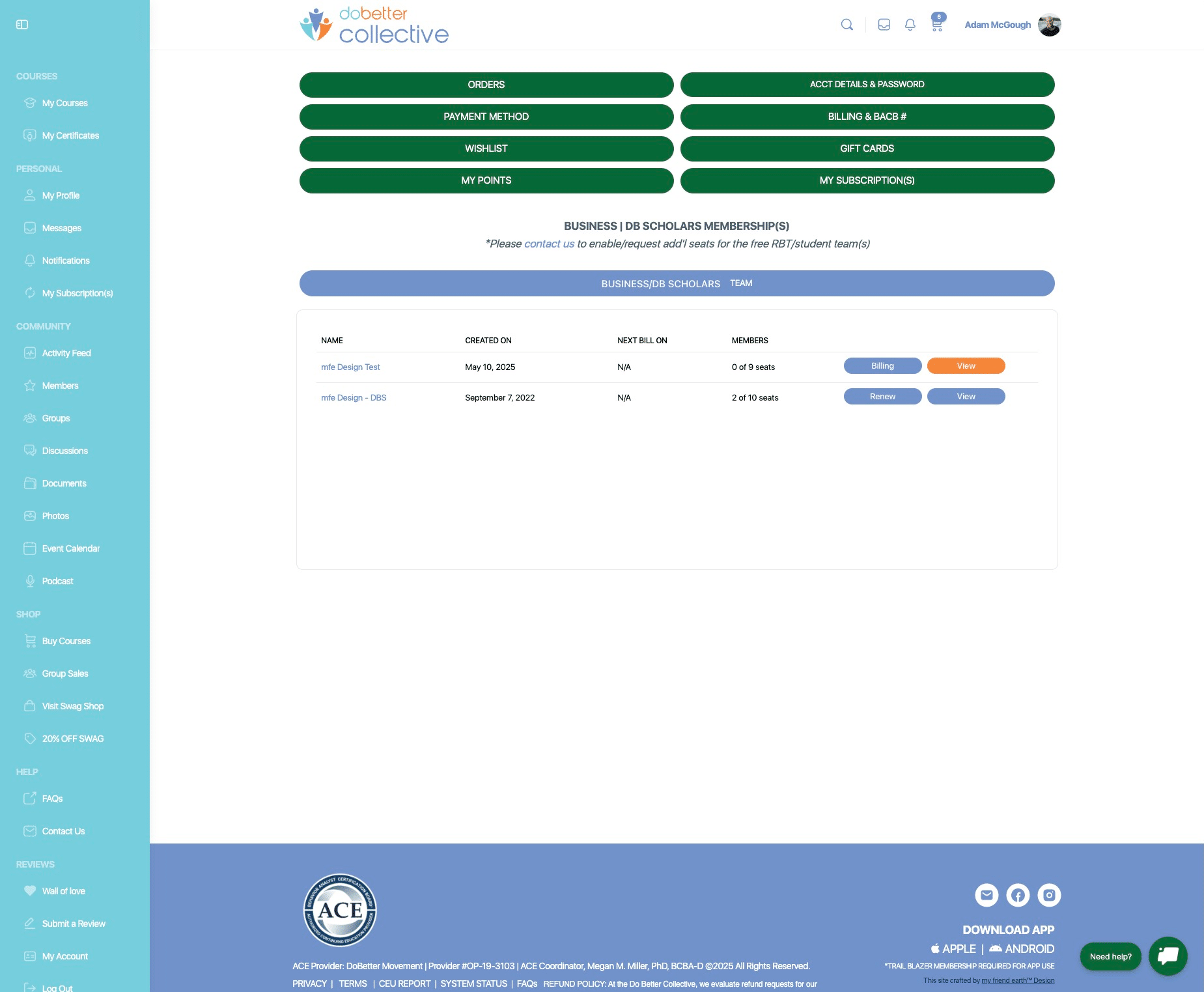
Now choose which team you would like to view. note: if you have free RBT accounts, these accounts will be created for you and be their own team. i.e. ABC Compnay - BCBAs" vs "ABC Company - RBTs"